

Advanced Access Manager
Table of Contents
Description
Advanced Access Manager (AAM) is a robust plugin designed to manage user roles, capabilities, and content access in WordPress. It gives site administrators the ability to control access to specific areas of the website based on user roles and capabilities, making it easier to maintain secure, well-structured user permissions.
This plugin allows you to define permissions for both built-in WordPress roles (such as Administrator, Editor, Author, etc.) and custom roles that you create. You can limit access to posts, pages, custom post types, taxonomies, and even backend areas like plugins and themes. AAM also provides tools for front-end access control, letting you determine which users can view or interact with specific content.
One of AAM’s key features is its flexibility in configuring permissions. Whether you want to restrict access to specific posts for certain users, limit editing capabilities to specific areas of the admin dashboard, or control access to entire sections of your website, AAM makes it simple.
Components
Advanced Access Manager comes with various features that allow users to manage access effectively:
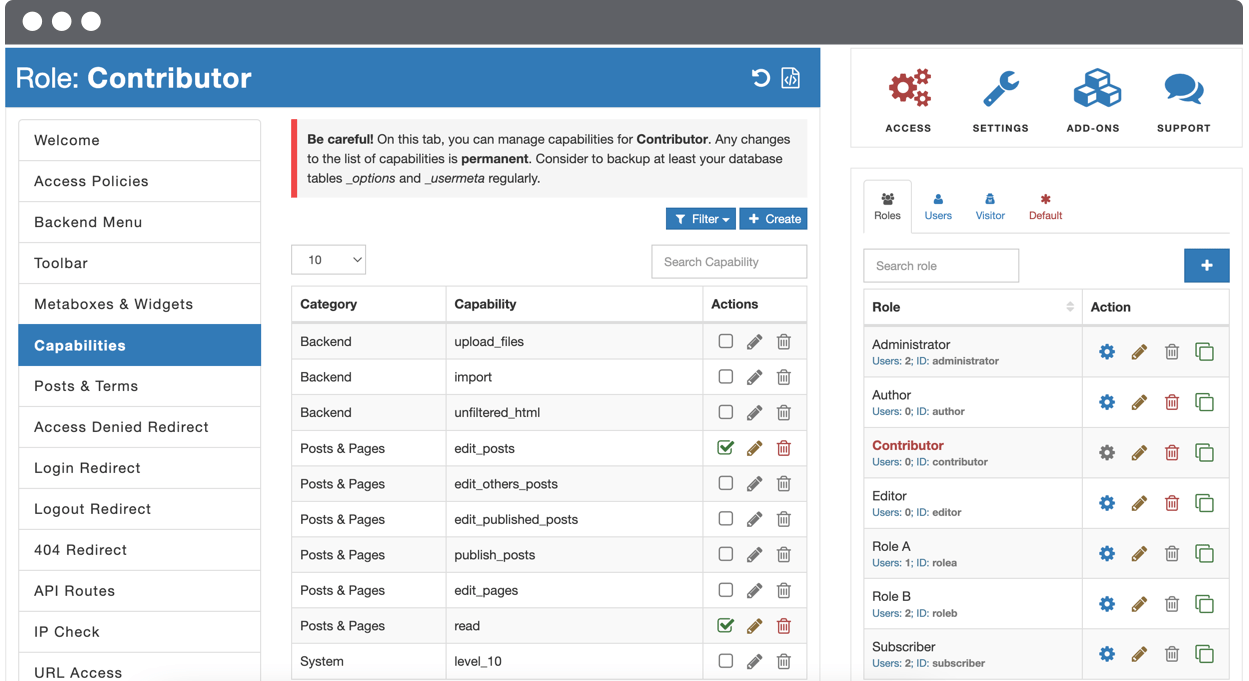
Role Management: AAM provides an intuitive interface for managing WordPress roles and permissions. You can create, edit, and delete custom roles with the exact capabilities you need, allowing for fine-tuned control over what users can do.
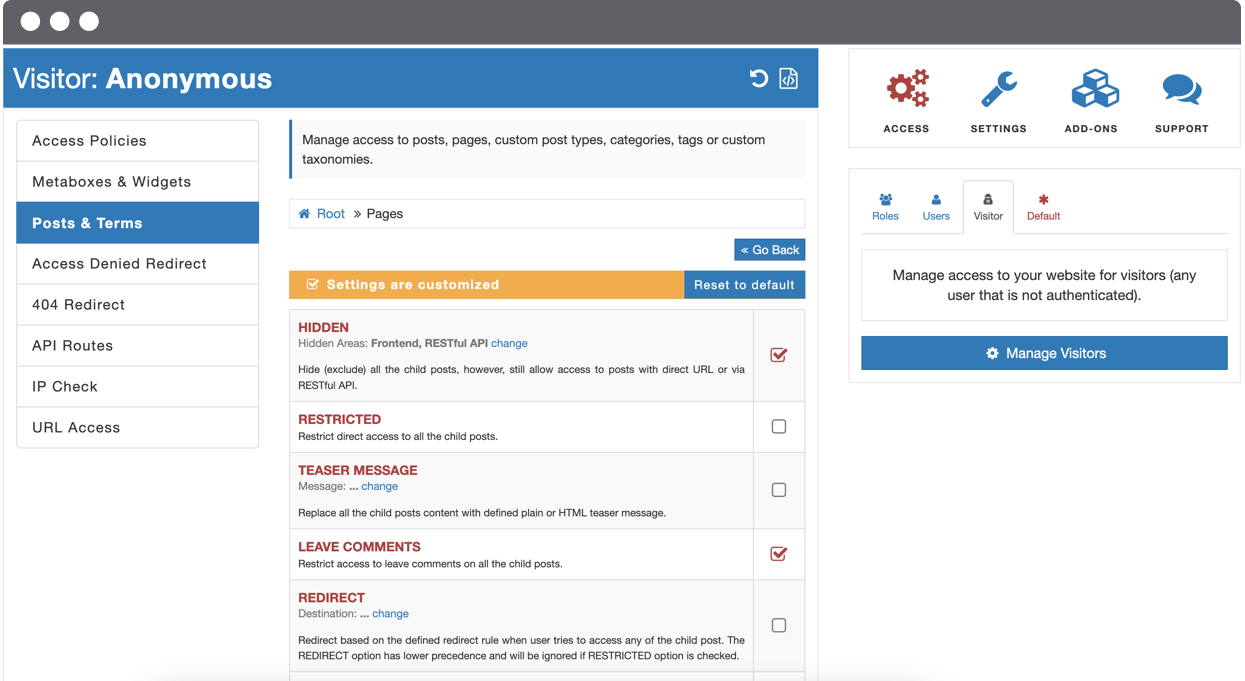
Custom Permissions for Posts and Pages: With AAM, you can restrict access to posts, pages, and custom post types based on user roles. This ensures that only users with the appropriate permissions can view or edit specific content.
Backend Access Control: AAM enables administrators to control access to the WordPress dashboard. You can decide which users have access to certain admin areas, such as plugins, themes, and settings, to prevent unauthorized users from making changes to your website.
Front-End Access Control: The plugin also allows you to manage access on the front-end of your site. This is useful for membership websites or websites with user-generated content, as you can restrict certain areas or features from specific users.
Content Protection: AAM provides content protection options to secure sensitive content from unauthorized users. You can hide content, restrict access to specific post categories, or use custom taxonomies to determine what users can see.
WooCommerce Integration: For e-commerce websites, AAM integrates seamlessly with WooCommerce. You can restrict product visibility based on user roles or membership levels, ensuring that only authorized users can view or purchase certain products.
IP Restriction: The plugin also supports IP-based restrictions, allowing you to control access to your website based on users’ IP addresses. This feature enhances security by limiting access from specific regions or unauthorized users.
Use Cases
Advanced Access Manager is ideal for a variety of websites where fine control over user roles and permissions is necessary:
Membership Websites: AAM is perfect for membership sites where different user types (e.g., free members, premium members, admins) need varying levels of access to content. You can use AAM to ensure that only authorized users can view restricted posts or interact with specific features.
Business Websites: For businesses with multiple departments or teams, AAM allows administrators to restrict access to sensitive information, such as internal documents, financial reports, or project management tools, ensuring that only authorized users can access these areas.
Collaborative Websites: On sites where multiple authors or content creators are contributing, AAM helps manage access by defining which users can edit, publish, or view specific posts or pages. This ensures that the editorial workflow remains organized.
E-Commerce Websites: AAM’s integration with WooCommerce makes it ideal for e-commerce websites where access to certain products or product categories should be restricted based on membership level or user role.
Educational Websites: If you run an online course or educational website, AAM can help control access to course materials and resources, ensuring that only enrolled students or instructors can view or edit certain content.
Multisite Support
Advanced Access Manager fully supports WordPress multisite installations, making it an excellent choice for managing multiple sites from a single WordPress dashboard. In a multisite setup, AAM allows administrators to control user roles and permissions across all sites in the network, simplifying access management for large-scale websites.
AAM also provides granular control over individual site settings within a multisite network. You can configure different permissions for different sites while maintaining a central dashboard to manage user roles and capabilities. This flexibility is especially beneficial for businesses, agencies, or educational institutions that manage several websites under one network.
Free Vs Premium Plugin
Advanced Access Manager is available in both free and premium versions. The free version provides a robust set of features for basic user role and access management, while the premium version offers more advanced functionality and support.
Comparison Table: Free Vs Premium Advanced Access Manager Plugin
| Feature | Free Version | Premium Version |
|---|---|---|
| Role Management | ✅ | ✅ |
| Custom Permissions for Posts/Pages | ✅ | ✅ |
| Backend Access Control | ✅ | ✅ |
| Front-End Access Control | ✅ | ✅ |
| Content Protection | ✅ | ✅ |
| WooCommerce Integration | ❌ | ✅ |
| IP Restrictions | ❌ | ✅ |
| Advanced Reporting | ❌ | ✅ |
| Premium Support | ❌ | ✅ |
Free Plugin Pros and Cons
- Pros: The free version of AAM offers powerful role management, backend access control, front-end access control, and basic content protection features.
- Cons: The free version lacks WooCommerce integration, IP restrictions, advanced reporting, and premium support.
Premium Plugin Pros and Cons
- Pros: The premium version includes WooCommerce integration, IP-based access restrictions, advanced reporting, and access to premium support.
- Cons: Requires a paid subscription, which may not be necessary for smaller websites with basic access management needs.
Comparison with Similar Plugins
While Advanced Access Manager offers robust role and access management features, other plugins like User Role Editor and Members provide similar functionality. Let’s compare them.
Comparison Table: AAM vs Similar Plugins
| Feature | AAM | User Role Editor | Members |
|---|---|---|---|
| Role Management | ✅ | ✅ | ✅ |
| Custom Permissions for Posts/Pages | ✅ | ✅ | ✅ |
| Backend Access Control | ✅ | ✅ | ❌ |
| Front-End Access Control | ✅ | ✅ | ✅ |
| Content Protection | ✅ | ✅ | ✅ |
| WooCommerce Integration | ✅ (Pro) | ❌ | ✅ (Pro) |
| IP Restrictions | ✅ (Pro) | ❌ | ❌ |
| Advanced Reporting | ✅ (Pro) | ❌ | ❌ |
Note: ✅ – Available | ❌ – Not Available
Advanced Access Manager stands out with its IP restrictions and premium support in the pro version, while User Role Editor is focused mainly on role management without additional advanced features. Members is a solid plugin for role management, but it lacks some of the advanced functionality of AAM, especially regarding backend control and WooCommerce integration.
Frequently Asked Questions
What is Advanced Access Manager?
- Advanced Access Manager (AAM) is a WordPress plugin that helps manage user roles and permissions on your site. It allows for fine-grained control over who can access specific content and administrative areas.
Can I restrict access to specific posts or pages with AAM?
- Yes, AAM allows you to restrict access to posts, pages, and custom post types based on user roles. You can control who can view, edit, or publish specific content.
Does AAM work with WooCommerce?
- The premium version of AAM integrates with WooCommerce, allowing you to control access to products, categories, and orders based on user roles.
How does IP restriction work in AAM?
- AAM’s IP restriction feature allows you to limit access to your website based on the user’s IP address. This can be useful for blocking or restricting access from certain regions or unauthorized users.
Is AAM compatible with multisite WordPress networks?
- Yes, AAM fully supports WordPress multisite installations, allowing you to manage user roles and permissions across multiple websites within the same network.
Can I control access to the WordPress dashboard with AAM?
- Yes, AAM allows you to restrict access to the WordPress admin dashboard. You can control which users can access specific admin areas, such as plugins and themes.
Do I need the premium version of AAM?
- The free version of AAM provides essential features for managing user roles and permissions. However, the premium version includes advanced features like WooCommerce integration, IP restrictions, and premium support.
How do I get support for AAM?
- Support for the free version is available through the plugin’s support forum. Premium users have access to dedicated support through the plugin’s premium support channel.
Videos: Advanced Access Manager


Photos: Advanced Access Manager


There are no reviews yet.